- Home Page /
- Electronics /
- Computer Accessories /
- Computer Accessories & Peripherals /
- Input Devices /
- Digital Pens /
- Microsoft Official Surface Pen - 4096 Pressur...
0 ratings






Item #:
13054437
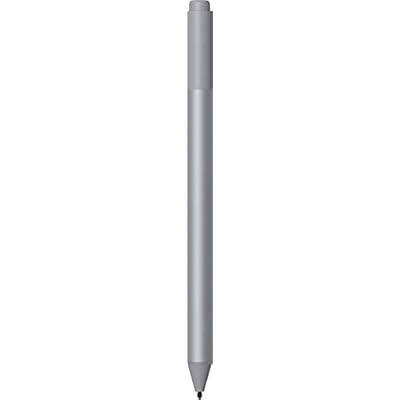
Microsoft Official Surface Pen - 4096 Pressure Sensitivity, Tail Eraser, Barrel Button, Compatible With Pro 5, Pro 6, Go, Book, Studio, Laptop,
Item #:
13054437
EGP 3643
Price Details
Excluding Shipping & Custom charges ( Shipping and custom charges will be calculated on checkout )
*All items will import from US
48%
0 ratings
Write a review
In stock
 Imported from USA store
QTY:
Only 20 items left in stock.
Order now and get it around Wednesday, June 24
Secured transaction
Ubuy works hard to protect your security and privacy. Our advanced payment security system ensures confidentiality by encrypting your information during transmission using AES (Advanced Encryption Standards) and SSL (Secure Socket Layer) protocols. Your payment details are 100% secure as we do not share your payment details with third party sellers.
Our Top Logistics Partners


Create without limits with precision ink and a natural-feeling rubber eraser

Fast
Shipping

Free
Return*

Secure Packaging

100% Original Products

PCI DSS Compliance

ISO 27001 Certified


Note: Step Down Voltage Transformer required for using electronics products of US store (110-120). Recommended power converters Buy Now.


What Stands Out
Precision Control
With 4096 levels of pressure sensitivity, the Surface Pen provides unparalleled control for drawing, writing, and note-taking, making it perfect for artists and professionals who demand accuracy.
Tail Eraser Function
The built-in tail eraser allows for quick corrections while working, enhancing productivity and providing a seamless transition between writing and editing, catering to users who prioritize efficiency.
Device Compatibility
Compatible with various Microsoft devices, including Surface Pro and Surface Laptop, this pen offers versatility and convenience for a wide range of users, eliminating the need for multiple tools.
Product Details
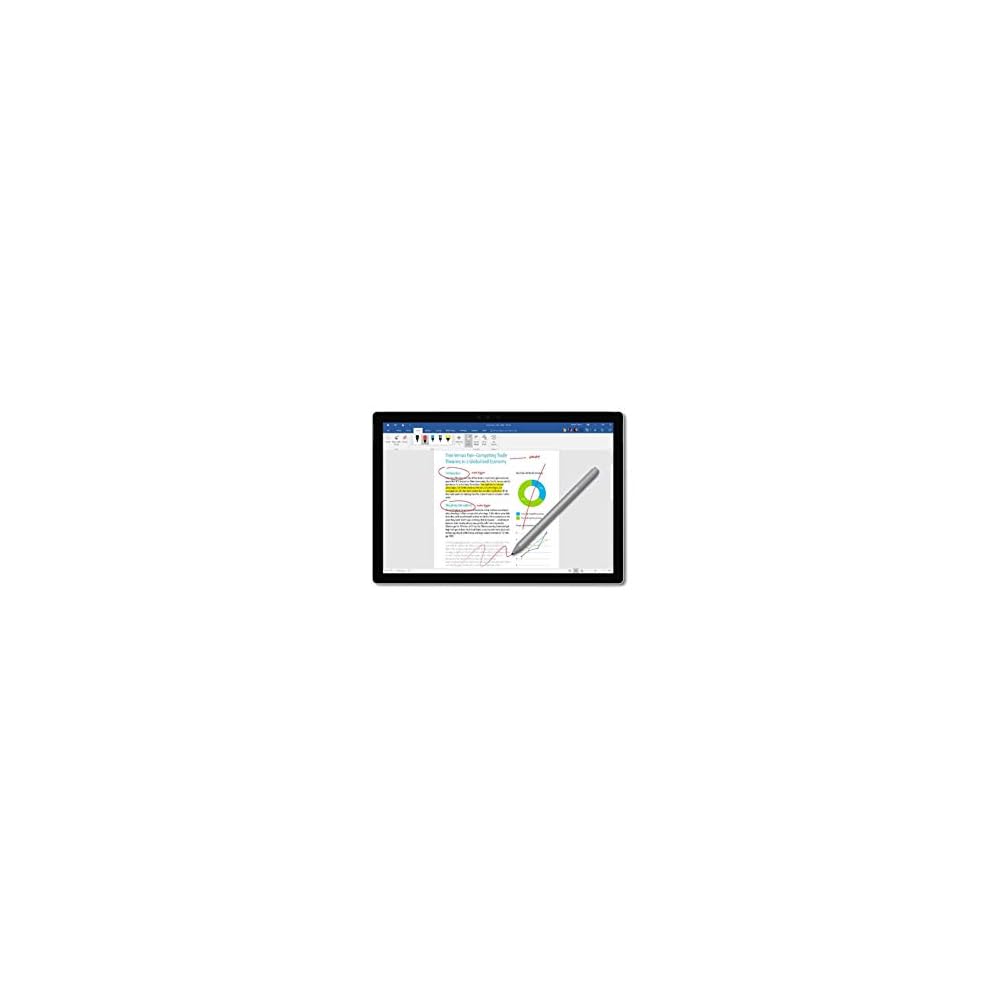
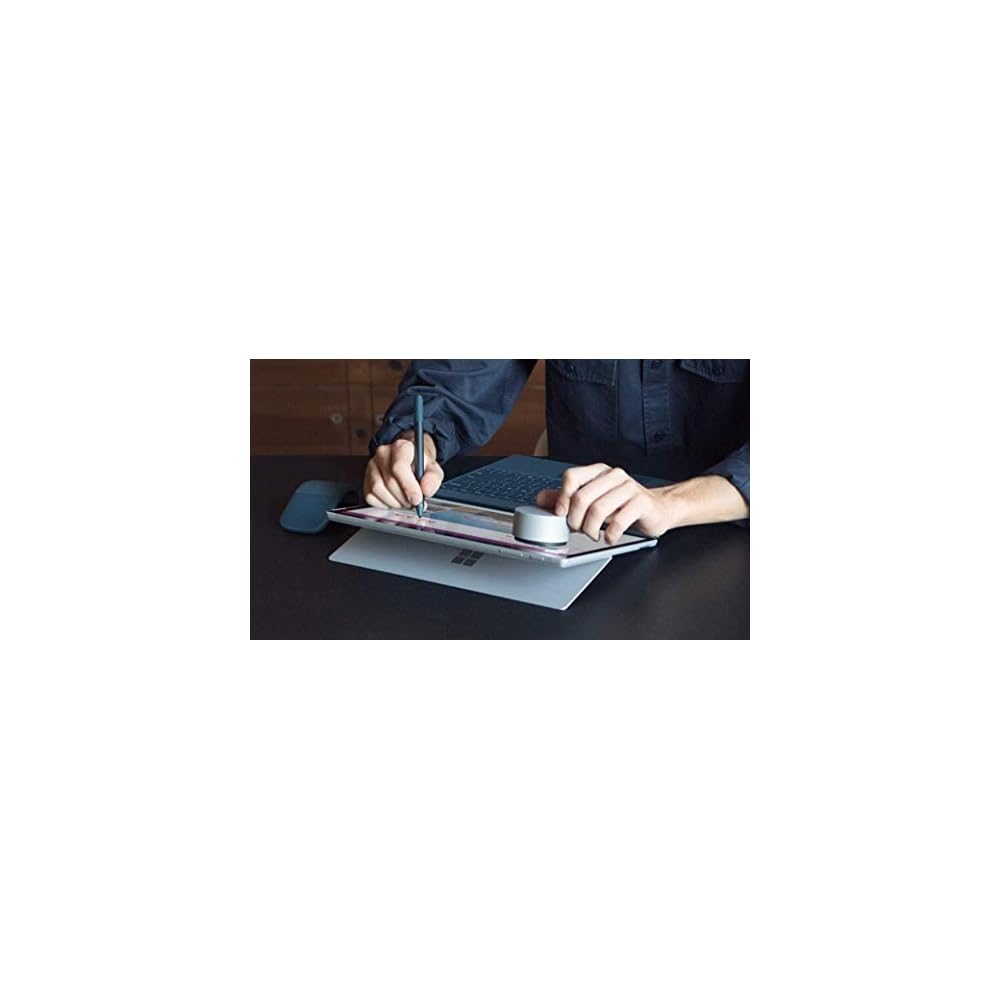
- Writes like pen on paper. Surface Pen is a natural writing and drawing tool, with precision ink on one end that now enables tilt1 and a natural-feeling rubber eraser on the other.
- 4,096 pressure points Sketch, shade, and paint with artistic precision and finer control with 4,096 pressure points that respond to the lightest touch.
- Responds to an artists touch Effortlessly express the finest sketches and lines with Surface Pen. Rest your hand on the screen of your Surface device,2 just as you would writing on a notebook.
- Compatibility: Surface Book, Surface Book 2, Surface Studio 1st Gen, Surface Studio 2, Surface Laptop 1st Gen, Surface Laptop 2, Surface Go, Surface Pro 3, Surface Pro 4, Surface Pro 5th Gen, Surface Pro 6, Surface 3, Pen Tip Kit.
- Connector type: Bluetooth 4.0. Buttons: Barrel button and tail eraser. Dimensions: 5.75 x 0.38 x 0.38 in (146.1 x 9.7 x 9.7 mm). Weight: 0.04 lbs (20g). Battery: AAAA battery included.
| Number of Batteries | 1 AAAA batteries required. |
| Compatible Devices | microsoft-surface-pro |
| Battery Description | Alkaline |
| Minimum Required Operating System Version | Windows 10 |
| Compatible Tablet Computer Models | Microsoft Surface 3, Microsoft Surface Go, Microsoft Surface Pro 3, Microsoft Surface Pro 4, Microsoft Surface Pro 6 |
| Item Weight | 20 Grams |
| Item Dimensions | 10 x 3 x 1 inches (25.4 x 7.6 x 2.5 cm) |
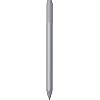
| Color | Platinum |
| Enclosure Material | Rubber |
| Brand | Microsoft |
| Model Number | Surface Pen 2019 |
| Are Batteries Included | No |
| Are Batteries Required | Yes |
| Unit Count | 1.0 Count |
| Manufacturer | Microsoft |
| Mfr Part Number | Surface Pen 2019 |
| Material | Rubber |
| Item dimensions L x W x H | 10 x 3 x 1 inches (25.4 x 7.6 x 2.5 cm) |
| Batteries Required? | Yes |
Who Should Buy?

-
Digital Artists
Artists looking for precise control and pressure sensitivity will excel using this pen for digital artwork.
-
Note-Takers
Students and professionals who take handwritten notes benefit from the seamless integration with Surface devices.
-
Design Professionals
Graphic designers and architects can utilize the fine tips and pressure sensitivity for detailed design work.

-
Casual Users
Casual users who rarely use stylus input may not benefit from the advanced features this pen offers.
-
Gamers
Gamers looking for gaming peripherals may find this pen unsuitable for their needs and preferences.
-
Budget Shoppers
Users on a tight budget may find similar stylus options that are more affordable and meet basic needs.
Product Description
About This Item
Looking for a writing and drawing tool that feels just like a pen on paper? Look no further than the Microsoft Official Surface Pen. With precision ink and a natural-feeling rubber eraser, this Surface Pen is perfect for everything from quick notes to intricate sketches. With its 4,096 pressure points, you can sketch, shade, and paint with artistic precision and finer control.
And, the Surface Pen responds to the lightest touch, so you can effortlessly express even the finest sketches and lines. Plus, with Bluetooth 4.0 compatibility, this stylus is designed to work seamlessly with your favorite Surface device. Whether you use a Surface Pro 5, Pro 6, Surface Go, Book, Studio, or Laptop, this Microsoft Official Surface Pen is the perfect choice for anyone looking to create without limits.
So what are you waiting for? Get your hands on the Microsoft Official Surface Pen today and take your creativity to the next level!.
Have any Query? Chat with us
Customer Questions & Answers
-
Question:
What is the pressure sensitivity of the Microsoft Surface Pen?
Answer: The Microsoft Official Surface Pen features an impressive 4096 levels of pressure sensitivity. This means that the pen can detect subtle changes in pressure, allowing for more precise and natural writing and drawing experiences. Artists and note-takers will find this particularly useful for creating detailed illustrations or taking handwritten notes that mimic the feel of traditional writing instruments. -
Question:
Is the Surface Pen compatible with all Surface devices?
Answer: The Surface Pen is designed to be compatible with several Surface devices including the Surface Pro 5, Pro 6, Surface Go, Surface Book, Surface Studio, and Surface Laptop. Its versatility makes it a valuable accessory for users across different Surface models, enhancing functionality whether you are sketching, taking notes, or navigating your device. -
Question:
How does the tail eraser work on the Surface Pen?
Answer: The tail eraser on the Microsoft Surface Pen functions like a traditional pencil eraser, allowing you to easily erase content on your screen. By simply flipping the pen over, you can quickly remove mistakes without needing additional tools or buttons. This feature is particularly beneficial for artists and students who often need to make quick corrections while working. -
Question:
What is the function of the barrel button on the Surface Pen?
Answer: The barrel button located on the Surface Pen allows users to perform customizable commands, such as opening apps or activating handwriting mode. You can personalize this function through your Surface device’s settings, making it a handy feature for improving productivity. Whether you're aiming to sketch faster or launch frequently used applications, the barrel button can be tailored to suit your workflow. -
Question:
How does Bluetooth connectivity enhance the usage of the Surface Pen?
Answer: With Bluetooth 4.0 connectivity, the Surface Pen can wirelessly interact with your Surface devices. This allows for quicker responsiveness and the ability to use additional features like app shortcuts and gesture commands. Whether you are a digital artist or a professional taking notes, Bluetooth connectivity provides seamless integration and enhances the overall user experience. -
Question:
Can I use the Surface Pen for drawing and designing?
Answer: Yes, the Surface Pen is an excellent tool for drawing and designing. Its high pressure sensitivity and precision tip allow artists to create detailed work on digital platforms. Whether using software like Adobe Illustrator or Sketchbook, the Surface Pen offers a natural and responsive user experience, making it ideal for both professional artists and hobbyists. -
Question:
What materials is the Surface Pen made of?
Answer: The Microsoft Official Surface Pen is constructed with high-quality materials, combining a sleek aluminum body with a pressure-sensitive tip and an ergonomic design for comfortable handling. This premium construction not only enhances durability but also ensures a tactile experience that mimics the feel of a traditional pen, enabling users to write and draw with confidence. -
Question:
How do I pair my Surface Pen with my device?
Answer: To pair your Surface Pen with your device, ensure that Bluetooth is enabled on your Surface. Simply hold down the top button of the pen until the LED indicator light starts to blink, signaling it is in pairing mode. Then, navigate to your device’s Bluetooth settings where you should see the Surface Pen listed. Select it to connect, and you’re ready to start using it. -
Question:
What software can enhance the functionality of my Surface Pen?
Answer: Numerous applications can enhance the functionality of your Surface Pen, including Microsoft OneNote for note-taking, Adobe Fresco for drawing, and Microsoft Whiteboard for collaborative brainstorming. These programs are designed to leverage the pen’s features, such as pressure sensitivity and palm rejection, enabling users to create, annotate, and collaborate effectively. -
Question:
Where can I buy the Microsoft Official Surface Pen in Egypt?
Answer: You can purchase the Microsoft Official Surface Pen from Ubuy in Egypt. Ubuy offers a variety of options for the Surface Pen, including the latest models. Ubuy is known for its reliable product offerings and customer service, making it a preferred destination for tech accessories.
Microsoft Digital Pens Surface Pen 2019 Editorial Review


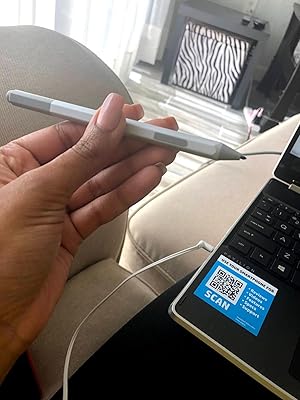
The Microsoft Official Surface Pen has 4096 pressure sensitivity and comes equipped with a tail eraser and barrel button. It is compatible with various devices like Surface Pro 5, Pro 6, Surface Book 3, Go, Book, Studio, Laptop and Bluetooth 4.0. It offers a smooth and natural writing experience. The pen is very comfortable to use and is very responsive. The customers have rated the pen highly and are amazed at its quality. They love the style of the pen and are very satisfied with the product.
Customer Reviews & Ratings
551 customers ratings
-
5 Star
81%
-
4 Star
11%
-
3 Star
4%
-
2 Star
2%
-
1 Star
2%
Review this product
Share your thoughts with other customers
Pros
- 4096 pressure sensitivity
- Compatible with many devices
- Offers a smooth and natural writing experience
- Comfortable and responsive
Product Price History
Important information
- Limitations : For products shipped internationally, please note that any manufacturer warranty may not be valid; manufacturer service options may not be available; product manuals, instructions, and safety warnings may not be in destination country languages; the products (and accompanying materials) may not be designed in accordance with destination country standards, specifications, and labeling requirements; and the products may not conform to destination country voltage and other electrical standards (requiring use of an adapter or converter if appropriate). The recipient is responsible for assuring that the product can be lawfully imported to the destination country. When ordering from Ubuy or its affiliates, the recipient is the importer of record and must comply with all laws and regulations of the destination country.
- Not all the products listed on Ubuy are for sale, as Ubuy is a global search engine. Products are subject to export/trade regulations.
EGP 3643
Order now and get it around Wednesday, June 24
This item is not restrict in my country.(Please click on above link if this item is not restrict in your country, So our team will review and allow.)
QTY:
Only 20 items left in stock.
Secured transaction
Ubuy works hard to protect your security and privacy. Our advanced payment security system ensures confidentiality by encrypting your information during transmission using AES (Advanced Encryption Standards) and SSL (Secure Socket Layer) protocols. Your payment details are 100% secure as we do not share your payment details with third party sellers.
Our Top Logistics Partners
Fastest cross-border delivery
Features & Benefits
- Surface Pen is better and faster than ever
- Natural writing and drawing tool
- 4,096 pressure points
- Enables tilt and responds to the lightest touch
- Effortlessly express the finest sketches and lines
- Rest your hand on the screen of your Surface device